Add Text Behind Any Image
Place text behind people, cars, and objects with automatic subject detection. Free, no signup, no watermark — perfect for YouTube thumbnails, Instagram posts, and posters.
Start CreatingWhy Use AddTextBehind
Free, No Signup, No Watermark
Add text behind images without creating an account. No hidden fees, no watermarks on your downloads. Unlimited use, zero cost.
Automatic, No Photoshop Needed
Subject detection runs instantly in your browser. No manual masking, no Photoshop skills required. Just upload and go.
Full Resolution PNG Export
Download crisp, high-quality PNG files at your original image resolution. Perfect for YouTube thumbnails, posters, and social media.
Create in 4 Simple Steps
- Upload Photo — Upload any image from your device.
- Add Text — Add and style your text layers.
- Position Text — Place text behind image elements.
- Download — Export in high quality PNG format.
Text Behind Image Examples
YouTube thumbnails, posters, social media — every example created entirely in the browser, no Photoshop needed.


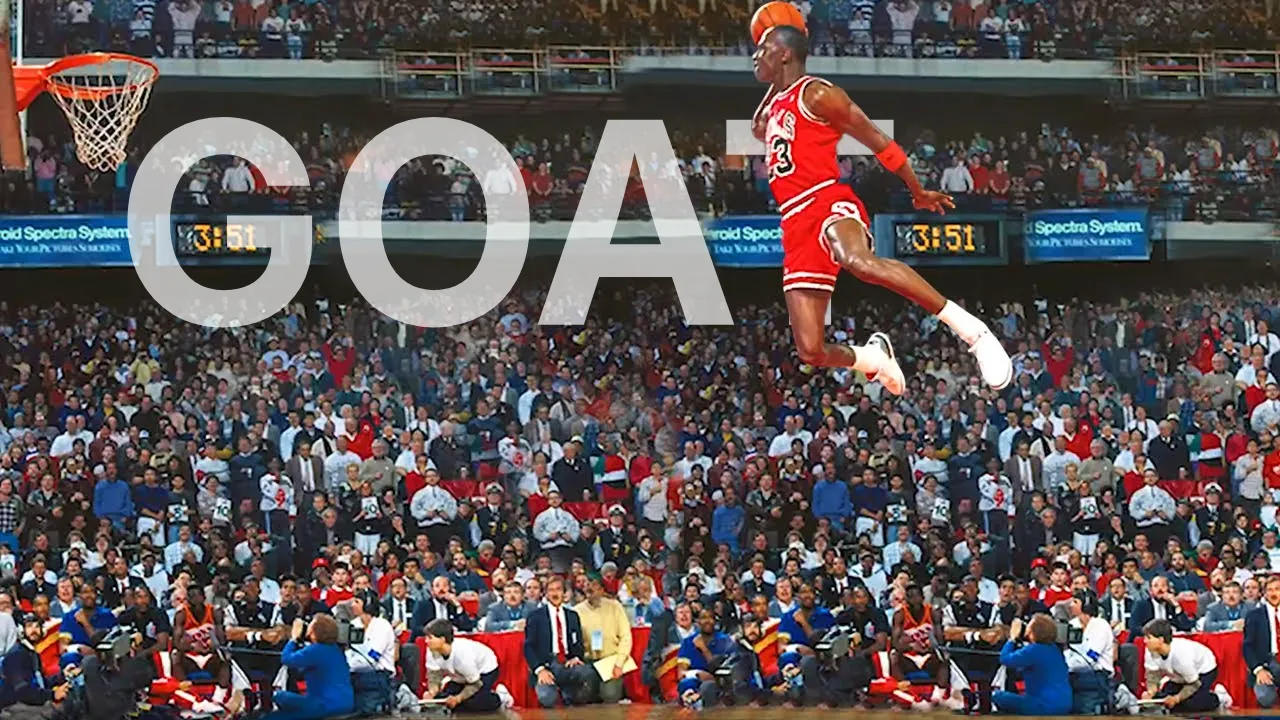

Text Behind Image Use Cases
YouTube Thumbnails
Stand out in search results with eye-catching thumbnails. Place bold titles behind yourself or your subject to create the layered depth effect that top creators use. AddTextBehind automatically detects subjects, so you do not need Photoshop or any design skills.
Instagram Posts and Stories
Create scroll-stopping social media graphics in seconds. The text-behind-image effect adds professional depth to product shots, portraits, and travel photos. Export at full resolution for crisp results on any platform.
Posters and Flyers
Design event posters, movie-style flyers, and promotional graphics without expensive software. Upload your image, type your text, and download a high-quality PNG ready for print or digital use.
Presentations and Pitch Decks
Add visual punch to slide decks with the text-behind-image technique. Create title slides that look professionally designed without leaving your browser.
Frequently Asked Questions
- Is AddTextBehind really free?
- Yes, completely free. No signup required, no watermark on downloads, no usage limits. The tool runs entirely in your browser.
- How does the text-behind-image effect work?
- AddTextBehind uses automatic subject detection to identify the foreground subject in your photo. Your text is placed on a layer between the background and the detected subject, creating the illusion that the text is behind the person, car, or object.
- Do I need Photoshop to add text behind an image?
- No. AddTextBehind replaces the manual Photoshop workflow entirely. You do not need to create layer masks or use any editing software. Everything is automated in your browser.
- What image formats are supported?
- You can upload PNG, JPEG, and WebP images. The finished result exports as a high-quality PNG at your original image resolution.
- Is my image data uploaded to a server?
- No. All processing happens locally in your browser using WebAssembly. Your images never leave your device.
- Can I use this for YouTube thumbnails?
- Absolutely. AddTextBehind is designed for exactly this use case. Many creators use it to place bold title text behind themselves for eye-catching thumbnails.
- Does it work on mobile devices?
- Yes. AddTextBehind works in any modern browser on desktop, tablet, and mobile devices.
- Can I change the font and text color?
- Yes. You can choose from multiple fonts, adjust the color, size, opacity, and orientation (horizontal, diagonal, or vertical) of your text.